Wednesday, February 26, 2025

How to Reconcile? Also a Reminder

 How do I reconcile two pieces of writing advice which seem to me contradictory, while at the same time, I’m certain they are both correct and useful?

What are you talking about? I hear. All writing advice is contradictory.

True, but it doesn’t always show-up simultaneously, and more important, they don’t normally both have advice that seems to be correct!


Today, I read a post by Nathan Bransford, “Stamp out vague catchalls in your writing”, where Mr. Bransford pleads for specificity in our writing. He writes, “It’s so important to precisely articulate what you mean when you write, possibly to the point of feeling like you’re being pedantic. Err on the side of clarity.”

To be fair, his main point is that we should eliminate (if possible) “vague catchall[s] like 'this,' 'it,' or 'that' where it’s unclear what’s being referred to”. (Emphasis mine.)


The other post, by Alex Limberg of Ride the Pen, writing about… wait for it… "How to Create Drama and Plot Without a Single Facebook Entry (Shakespeare’s Macbeth)". Wait, what?

Everything can be answered by Macbeth; it’s kinda like the Bible in that regard.

Specifically, in this post, and in what seems like opposition to Mr. Bransford’s post imploring details and specificity, Mr. Limberg uses Macbeth to argue that our plots will be stronger, and more importantly, will have an easier job keeping readers engaged (and this is something we all dearly wish for, is it not?) because by not revealing things, being less specific, allows questions to form, not in our minds but in the readers', and if the question is sufficiently interesting, the reader will be motivated not to pitch their book, or Kindle or Nook or laptop against the wall protesting terminal boredom but rather, continue reading.

Clarity and suspense. Both are useful things to recall. One might say crucial to the author looking to find an audience. Still, they do seem at first blush to be in opposition.

No, each applies to its own circumstance, and both are indeed important.

I invite you to read both of the posts and see for yourself the points being made, and not only the points but examples to illustrate the positions.


Remember, Smashwords’ 16th Annual Read an Ebook Week Super Sale kicks off March 2nd and runs through the end of day March 8th. Along with 130,000 other books, all my books are available at  50% off, except for Series Starters in both of my series which are free.


Thanks for reading. Comments welcome.

Friday, February 21, 2025

Not Disappeared, Yet

So, not quite a year since my last post. I hope everyone’s having a good year, though with the convicted orange buffoon ruining the country, I suspect not everyone is. Still, it’s a worthy wish, and I lay it on you, hopeful that you’re getting by.

In honor of the convicted orange buffoon ruining the country, I sent the following message to both my Senators (in spite of them voting for Rubio) and my Representative:

Topic: Other

Subject: Action to save the United States


Message Text:


Unfortunately, "Save the United States" is not one of the suggested Topics, hence I chose Other.

When Trump decides he's actually king instead of just raping and pillaging, what are you going to do about it?

My vote may not matter then, but without some useful definitive action, I'll be looking elsewhere.

Your personal vendettas don't seem to carry much weight when the government is being dismantled like White Stadium in Boston. Or the World Trade Center on 9-11. You do recall those things, and I hope you can see the parallel. Except for first responders rushing in to help. Not much of that going on.

I'll be watching with hope, though Democrats haven't covered themselves with glory in the past month. Look at the confirmed Cabinet positions for my proof.

Thank you for listening and taking some action.

 So far, auto-responses from two of the three, consistent with other messages I've sent. While I do have two nickels to rub together, I don't have enough money to be noticed in the political quagmire Citizens United has bequeathed us, and push comes to shove, my wife and kids can use those nickels to get away (assuming that fits their plans, too).

Without money to make a difference, Ben Cohen of The Daily Banter suggests writing congresss critters to protest what's going on, so I'm trying that approach. Feel free to follow along, if you will. Perhaps President's Day will once again be something to celebrate. Or maybe we'll all hang the flag upside down on Flag Day.

Monday, May 27, 2024

Memorial Day

 Weather's not the best for opening your pool.

At least, here. And in the south Mid-west, where reports suggest tornadoes may again afflict your celebrations.

Flag flying

A new flag for the year.

In the midst of your celebrations, please remember the reason for Memorial Day, whether you have someone lost in service or not.

Enjoy no matter how you honor those who gave all.

Wednesday, May 22, 2024

Late Finally: PWA and AC Part VII (Final)

 PWA and AutoCrit Part VII - the final part.

I revisited where I’d gotten to, and decided going through the last few windows didn’t really make much sense. These were all AutoCrit windows, and except for the actual details of the points they want to make you aware of, they’re pretty much the same.

The words or phrases they flag as worthy of review show up in the right sidebar, just like almost all the others. Clicking on one will highlight each occurrence in the text, as shown in the editor window, and allow you to make changes as you see appropriate.

Again I repeat, make no changes just because AutoCrit says you should. Make sure that you believe the change⁠—any change⁠—will improve your work, make it easier to understand, or make your message clearer. Can’t stress that enough. These are tools, not gods of any sort.

The last topics for AutoCrit.


In the menu bar, we still have Planning, Readability and Inspiration.

Readability

Readability gives you information, but I’m not clear on what to do with it. It seems that making any changes to these measurements would affect your voice, and thus, you should be careful about doing so. 

On the other hand, if you have complaints that your work is difficult to read, for example, or perhaps, too simple (going the other way), these data may give you some explanation, though again, it’s not clear just how to use the information or how to correct what is likely a systemic problem.

Complex Words under Readability

The Complex Words tab, on the other hand, may be useful in flagging words that non-cognoscenti will have difficulty with; those may benefit from a judicious edit.

Planning

Planning is intended to assist in beginning your writing, and that’s not something I trust to AutoCrit.

Inspiration

Inspiration is much the same, except when you run out of ideas in the middle instead of the beginning.

Personal preference: so far, I use neither of these tools.

Summing up

I believe that either or both of these tools can help you clean up a ms before sending it on for further editing or perhaps a reading group. However, that’s only true if you remember that you are the author, it is your work, and you pay attention to the recommendations , to ensure they help you say what you want to say. 

Don’t be confused by their recommendations. The false positives I pointed out didn’t result from a careful selection of scenes to use for these posts. The tools are not even part way to perfect.
Add to the errors we can all agree on, all the ones that reflect differences in meaning, or worse, opinion. It’s a wonder we can agree on any changes.

If you choose to utilize either of these tools, or any other, make sure you implement changes that improve your work, don’t just change it. 

It’s your work, be proud of it!

Til next time.
Questions and comments welcome as always.

Monday, April 29, 2024

Part VI of ProWritingAid and Autocrit

 Back to PWA and AC, AC today.

I think there will be one or at most two more posts on these two, unless questions arise.

We left AutoCrit after reviewing the overall Summary and the Chapter Analysis and Story or Fiction Analysis (depending on the version. Lets look at the overall Summary again.

01 AC Summary report


The categories (shown by the vertical bar graphs) are Pacing & Momentum, Dialogue, Strong Writing, Word Choice and Repetition. Click back to the Editor Screen.


02 AC Editor Screen


Across the top, just under the file title, these categories are listed, along with four others: Planning (not shown in my older s/s), Analysis, which we looked at earlier), Readability and Inspiration. Readability does appear in the Overall Summary Report, at the bottom.

Planning, Inspiration

Since I’ve been using both PWA and AC on projects that are nominally complete, I haven’t used the Planning or Inspiration tabs. If you’re at an appropriate stage with your project, give them a try. I haven’t seen any ramifications from not using them in the other analyses that I’ve asked AC for.

Pacing

Click the Pacing tab, corresponding to the Pacing and Momentum, and a sub-menu appears.

03 AC Pacing Menu


It includes Sentence Variation, Pacing, Paragraph Variation and Chapter Variation.

Sentence Variation

Sentence Variation pops an information list into the right sidebar, so.


04 AC Sentence Variation


A breakdown of the approximately 9,000 sentences in this file, first graphed by length, and then each sentence in order with a little bar to indicate its relative word count. Highlight a word count (for example, 40+) and the sentences in that bracket are highlighted. This is likely of greater benefit for examining the long sentences, to see if they need to be that long, since some readability analyses focus on long sentences.

Pacing

Clicking on Pacing brings up a similar sidebar, this time listing the paragraphs AC considers slow-paced, as well as the total number of slow-paced paragraphs. Again, click on the paragraph to see it in context in the editor. 


05 AC Pacing Variation


Here, I clicked on the first one, and it appears in the editor screen, highlighted.

Paragraph Variation and Chapter Variation

Clicking on Paragraph Variation provides a similar display as Sentence Variation does. I assume that’s also the intent of Chapter Variation, but for me, the tool doesn’t recognize the chapters even though the Analysis tools do. I’m not sure of the benefit, so I’m not concerned about it. Being Sunday, I’ll wait to post a bug report.

Dialogue

Moving on to the Dialogue Category, here is the sub-menu.

06 AC Dialogue Menu


Dialogue

These seem understandable. Clicking Dialogue provides a list in the right sidebar of each line of dialogue in the file, as determined by quote marks. It also gives the percentage of Dialogue lines in the file along with the reference you’ve chosen. Again, selecting a line from the list will highlight that line in the file in the Editor window, allowing you to view it in context, and make changes if appropriate.

Dialogue Tags

We reviewed the Dialogue Tags sidebar a couple posts ago, Part V of ProWritingAid and AutoCrit  so review it there.

Adverbs in Dialogue

Clicking Adverbs in Dialogue fills the sidebar with a list of al the adverbs found in the dialogue and a total of them, both in the reference and in your file. As before, click on a specific adverb to see it in context. In the case where there are more than one instance, the first click takes you to the first instance; subsequent clicks select instances further along in the file.

Strong Writing

Strong Writing is next. The sub-menu is:

07 AC Strong Writing Sub Menu


Adverbs

As with Adverbs in Dialogue, clicking Adverbs yields the total count, and a list of them by frequency. It’s interesting that in this file, the most common adverb is ‘nay’ because in this story, it actually means ‘no’ and in most instances, it’s therefore a noun. This isn’t something I’d expect AC to have correct, but it would be nice if some customization was allowed beyond the Name list. As before, clicking the adverb shows it in context in the Editor.

Passive Indicators

Clicking Passive Indicators fills the sidebar with verb constructions that AC believes signal passive voice. To use this information requires first, that you care whether you’ve used passive voice at all or too much, and second, if the verb constructions signal passive voice to you as they do to AC. Once you’ve made those decisions, you can then proceed through the list and make changes as you deem appropriate.

Tense Consistency

The Tense Consistency, like Passive Indicators, fills the sidebar with verb constructions divided into Past, Present and Future. I haven’t decided the value of this, since my writing is nominally past tense. However, internal dialog is present tense, and within dialogue all tenses are possible, depending on the context.

Showing vs Telling

Similar to these, the Showing vs Telling sidebar shows “indicators” and not hard and fast determinations.

08 AC Show vs Tell


This list provides the words that AC believes tell, the total number, and if they recommend reducing the number (hinted by “Too Many or Excess, against the bright red background). They allow some, but never recommend increasing the frequency of these words. As usual, selecting one of these takes you to the location in the text to review it in context or edit, if you choose.

Cliches, Redundancies and Unnecessary Filler Words

In like manner, the last three options, Cliches, Redundancies and Unnecessary Filler Words, each provide a list of the ones AC found. Make sure that, if you choose to keep one of these, it actually serves the story or works better than another word or phrase. Your work, your decision.

Word Choice.


09 AC Word Choice


Repetition


10 AC Repetition Sub Menu


Readability


11 AC Readability Sub Menu


This is getting long; we’ll look into the details of the last three next time.
Thanks.
Comments welcome.

Monday, April 22, 2024

A Review to Accompany My Apology

Sorry. I spent too much time reading and not enough time preparing for this blog, so it’s not ready.


The reading was the complete Emperor’s Edge series from Lindsay Buroker, all nine books straight through. I read most of them when they were originally released, but decided I could do with a second helping of Amaranthe and Sicarius, and once I got started… Couldn’t stop.

I hadn’t thought to do a review, since I have no idea if it would have any visibility if just tagged on the series, and since it’s not directly a review of any of the individual books, it doesn’t feel right to post it there. 

So, in short, a well-written series following Amaranthe and her crew as they attempt to clear their names and support the Emperor in his quest to stay alive. It’s fun, more than you’d think the theme calls for, but Ms Buroker crafted her characters and plot turns to keep the reader entertained and attentive at the same time. 

The books could stand alone, I suppose, but while the plots, mostly, are well enough described that the earlier stories aren’t necessary for understanding, not reading from the beginning costs instead the character development which continues from the first book to the last.

I read the series in the Kindle format, using the Kindle app on my MacBook Air.

I recommend these books to anyone who enjoys a strong female protagonist in a steampunk informed setting fantasy, especially with well-developed characters. Since it sucked me in for the second time, five stars.

If after you read the Emperor’s Edge, you’d like more of Ms Buroker’s work, or if you’d like some samples before, visit her web site, at lindsayburoker.

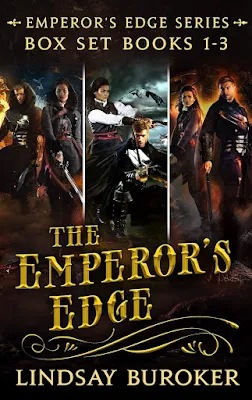
I notice that Amazon has the first three books in the series available as a set, and the set might be free. Click the image to be taken to Amazon, in a new tab or window. I’m not a fan of audio books, but I know some are; those are also available.


Sales image Emperor's Edge 1-3


At least some of Ms Buroker’s works are available in epub3 at the Apple store; I assume that’s also true at other stores that offer epub3 books.

Once again, sorry about the delay in the PWA and AutoCrit postings I am doing. I’ll get it up as soon as I can.

Comments welcome!
 

Monday, April 15, 2024

Part V of ProWritingAid and AutoCrit

 False Positives

So now we get to the topic I started this rant to address. False positives, today in Dialogue Tags (also known as Speech Tags).

Aside: I hope your income tax obligations are met, except here in Massachusetts, and in Maine, where you have til the 17th, (Monday is Patriots Day (and Emancipation Day) and the running of the Boston Marathon.)

Speech tags.

You would be forgiven if you searched for “define speech tags” and came away thinking they’re mostly what you want them to be. For example:

From Scribophile:
“Quick definition: a dialog tag is a short phrase that identifies the character who’s speaking.”
or
"[Q: ]What are dialogue tags?
[A: ]Dialogue tags (or speech tags) are short phrases that identify the speaker of a line of dialogue. They can occur before, during, or after a character’s spoken dialogue. They’re used to make it clear who’s speaking and help the reader follow the conversation. The most common dialogue tag in writing is ‘he said’ or ‘she said’.”

Not much of a definition there, to be honest. However, also from Scribophile comes a distinction that I knew but wouldn’t have thought of, and I’m not sure the guru’s at PWA andAutoCrit have considered just yet: Dialog tags are not the same as Action Tags, though the two serve many of the same purposes.

“Always begin dialogue tags with a lowercase letter, even after question marks and exclamation points.”
example: “I love this song,” she said.
Unless of course the tag begins with a proper noun, such as Charlotte. Those are always capitalized!
example: “I love this song,” Charlotte said.

However, if you follow the line of dialogue with an action that is separate from the speech, you’ll end the dialogue with a period and begin the next bit with a capital letter, the same as if you didn’t use any tag at all:
example: “I love this song.” She reached over and turned up the volume.

The first letter of an action tag is always capitalized. (Emphasis mine)

Scribophile goes a bit further in defining these two (again, emphasis mine):

Dialogue tags, as we’ve seen, begin with a speech verb—usually “said,” but sometimes other words like “whispered,” “yelled,” or “mumbled.” They work to identify the person who is speaking.

Finally, we get to a defining characteristic: Dialogue tags begin with a speech verb.

Action tags, on the other hand, work like a dialogue tag but aren’t directly connected to the line of dialogue. They can be related, but they stand independently. Just like dialogue tags, action tags work to identify the person speaking. These are especially helpful if you’re writing a scene with three or more people, where things can get confusing pretty quickly.

To clarify, in case you’re wondering, neither PWA nor AutoCrit identify action tags. They both do an acceptable job of picking out 'said' and 'asked', though you should still review those lists.

Where they both fall short is what PWA calls “Unusual dialog tags” and AutoCrit calls “Others”. Both are predicated on the belief that said and asked are the only acceptable dialog tags, or even if they admit others might be acceptable, they’re still to be minimized. Which wouldn’t be so bad, but they pick words that perhaps due to their location, or perhaps because they appear in a list of suspect words, are identified as dialog tags even though (in many cases) they can’t be (because they aren’t speech verbs).

Looking for Rules? Scribophile gives you five:
1. Limit overuse of dialogue tags. Less is more.
2. Use a dialogue tag when it’s unclear who’s speaking. Dialogue tags are used first and foremost for clarity.
3. Vary the positioning of dialogue tags. Sometimes at the beginning, sometimes in the middle and sometimes following.
4. Vary the type of dialogue tags. Try alternating between dialogue tags, descriptive action tags, and a few alternate verb dialogue tags.
5 Avoid using adverbs too frequently in dialogue tags. Use a very light hand.

Back to the definition of a dialogue tag. My personal definition includes the idea that the dialogue must be spoken (a speech verb). So, ‘said’ is wonderful. ‘Said with a laugh’ is too, but ‘laughed’ is not.
For the chunk of writing I had up in PWA, here are the ‘Unusual’ dialog tags.


01 Combo Check


Of these, ‘muse’ is problematic.  Also, I would argue that ‘laugh’ doesn’t fit. However, looking at the text, in the next s/s, I’ve certainly used 'laughed' as a dialogue tag, so shame on me for not following my own rule. A good reason to test each of the recommendations!

02 PWA Unusual-1


Notice that the second instance of 'laughed' is in the next line; I don’t know how anyone would consider that a speech tag. If Frank had a line of dialogue here, that would be an action tag, but as it is, it’s just narrative and shouldn’t be highlighted as a speech tag, unusual or not.
Of the others, I question ’teased’ and ‘interrupted’, as shown in the next two images.

03 PWA Unusual-2


04 PWA Unusual-3


In the first, ‘teased’ might be part of an action tag, though it actually describes Jani’s internal thoughts rather than her dialog.

In the second, ‘interrupted’ is part of the dialog, not a tag of any kind, which lends some credence to the theory that certain words are defined to be unusual speech tags no matter where they appear or how they are used.

Tense?

The “Issues” just above the Unusual speech tags is also interesting. The claim is that two of the speech tags are present tense. The first is an occurrence of the word ‘told’ which I’m pretty sure is the past tense of  ‘tell’. In truth, the sentence is poorly constructed, but still, I consider this flagging to be a false positive.

05 PWA Unusual-4


As I said before, ‘interrupted’ isn’t a tag of any kind, and like told, I’m pretty sure it’s a past tense verb, what I wanted there.
I don’t understand what flagging these adds, even if they were present tense. And since I don’t, I’ll just say I haven’t seen a case where it actually flagged something other than a past tense word.

AutoCrit and Other Speech Tags

Skipping back to Unusual tags, I’m going to jump right to AutoCrit. I know I haven’t gone through the introductory stuff, but I will, probably next week. This is the screen when you click Dialogue Tags under Dialogue.

06 AC Others -1


I’ve scrolled down a little, so the Reference Counts aren’t shown, but My counts are. This is for the whole of the document, not a chunk like PWA considers. Said/Asked, the safe choices, ring up 661 out of 907, with the infamous “Others” accounting for the rest, 246 as shown.
All of the tags AC recognizes and believes in are listed in order of frequency, starting with ‘said’.

Notice that ‘laugh’ and ‘laughed’ both show up, although this isn’t the same document I used for the PWA examples. I’ll have to look at them to see if I actually used them as speech tags or they are false positives.

Scrolling down and just showing the Dialogue tags sidebar…

07 AC Others -2


Here are twenty-six more suspected tags. Of them, ‘giggle’ and its variants, ‘grinned’, ‘thought’ (really? Thought as a speech tag?), ‘chuckled’, ‘grunted’, ‘gasped’ and ‘squealed’. All these are difficult to convey words with.

Return’ is one to be careful with, since it could be used as ‘reply’; however, not in the three instances in this document.

Case 1

08 AC Others - returned 1


Case 2

09 AC Others - returned 2


Case 3

10 AC Others - returned 3


So these are all false positives.

The lesson is you have to look at each one to see if it’s a false positive (the software has flagged a non-speech verb) or if it’s flagged a legitimate case. If it is legitimate, then you have to decide whether to make the change or not.

My main complaint here is that the false positives take time to investigate, and they reduce the confidence in their other recommendations. As always, you must decide whether the cost (both in dollars for access and time spent sorting through their recommendations) is worth the benefit.

And the other comparison that needs to be made: the use of either of these (or any other software tool) versus hiring a human editor to accomplish these tasks. Again, decisions I can only make for me, not for you.

If you do come down on the side of using one or more of these tools, use them intelligently. Make sure that the changes you choose actually improve your work; don’t make a change just because the software says you should. Of course, this is true of any writing advice you receive. Use it if it makes your story, blog, presentation better, closer to what you want. Otherwise, don’t.

As always comments are welcome, especially where I’ve been unclear!